

Features
This page walks through everything a player and an admin sees: the editor, the Studio, the shops, the basket, the wardrobe hub and clothing items.
The editor
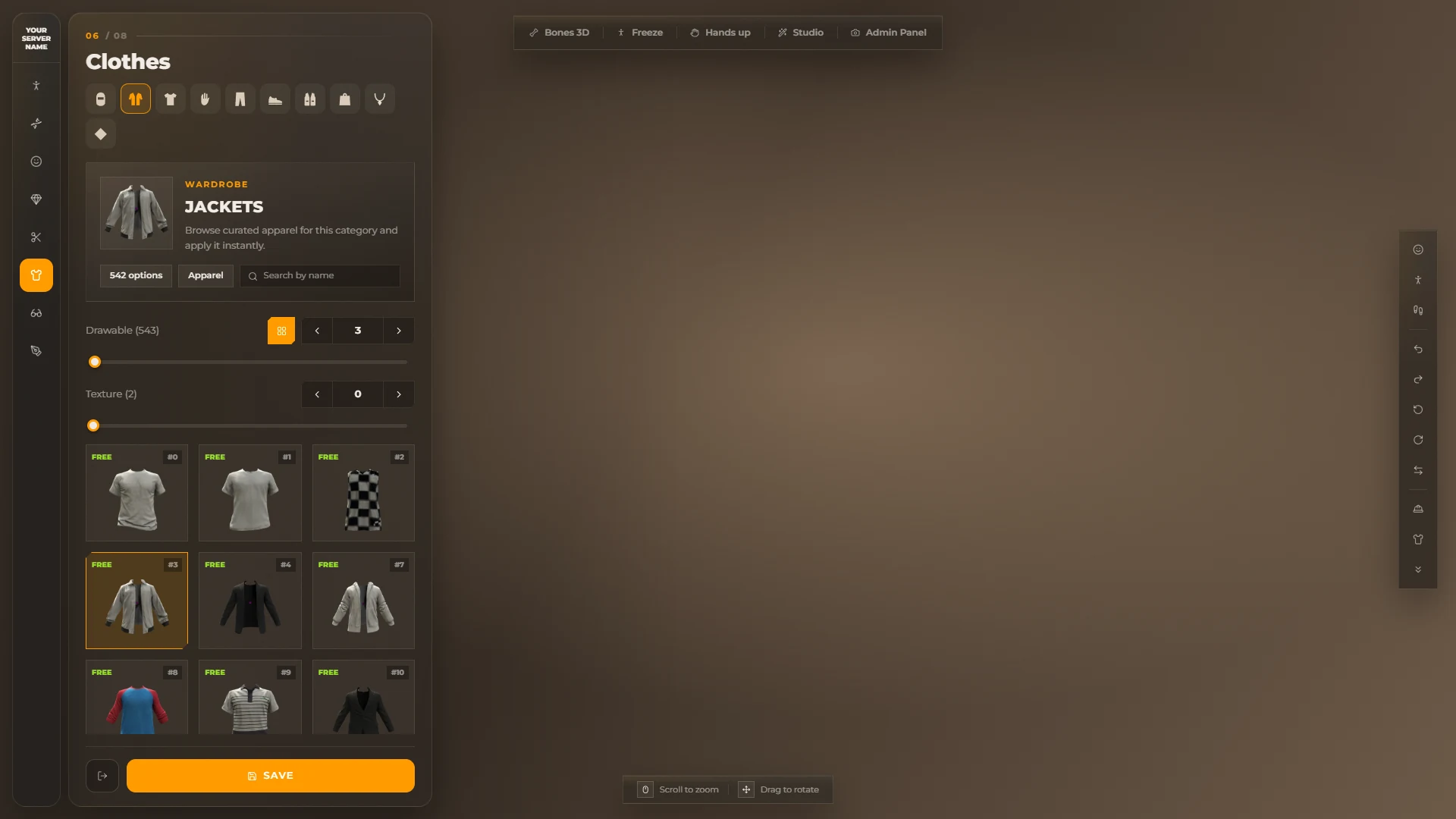
The editor opens in every shop, at character creation, and with /pedmenu or /skin.
Left rail
| Section | What is in it |
|---|---|
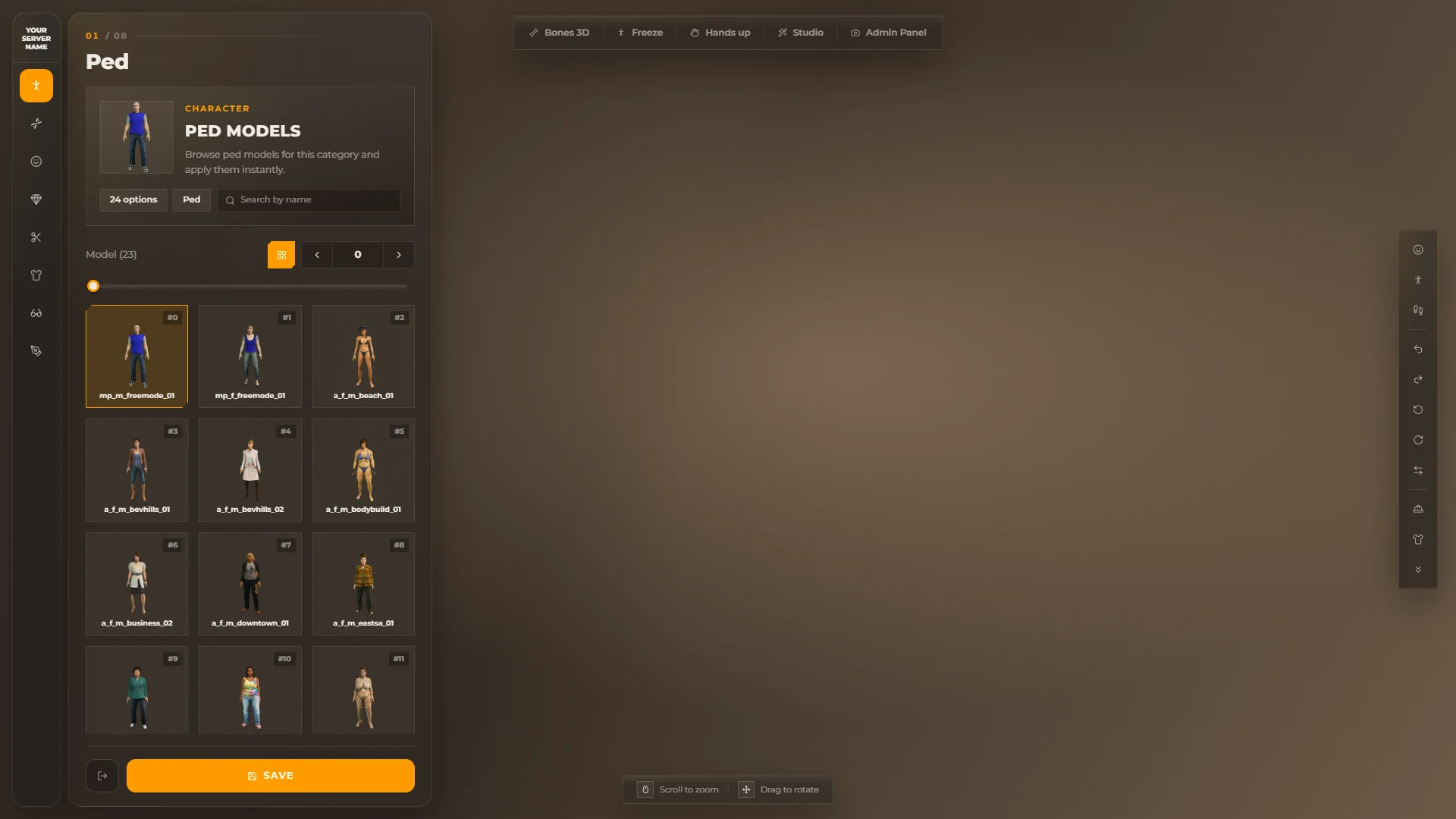
| Ped | Every ped model with a preview image (from Config.Koja.PedImageUrl) |
| Inheritance | Parent faces with real portraits, face and skin mix. Extra faces from Config.Koja.ExtraFaces follow the GTA ones |
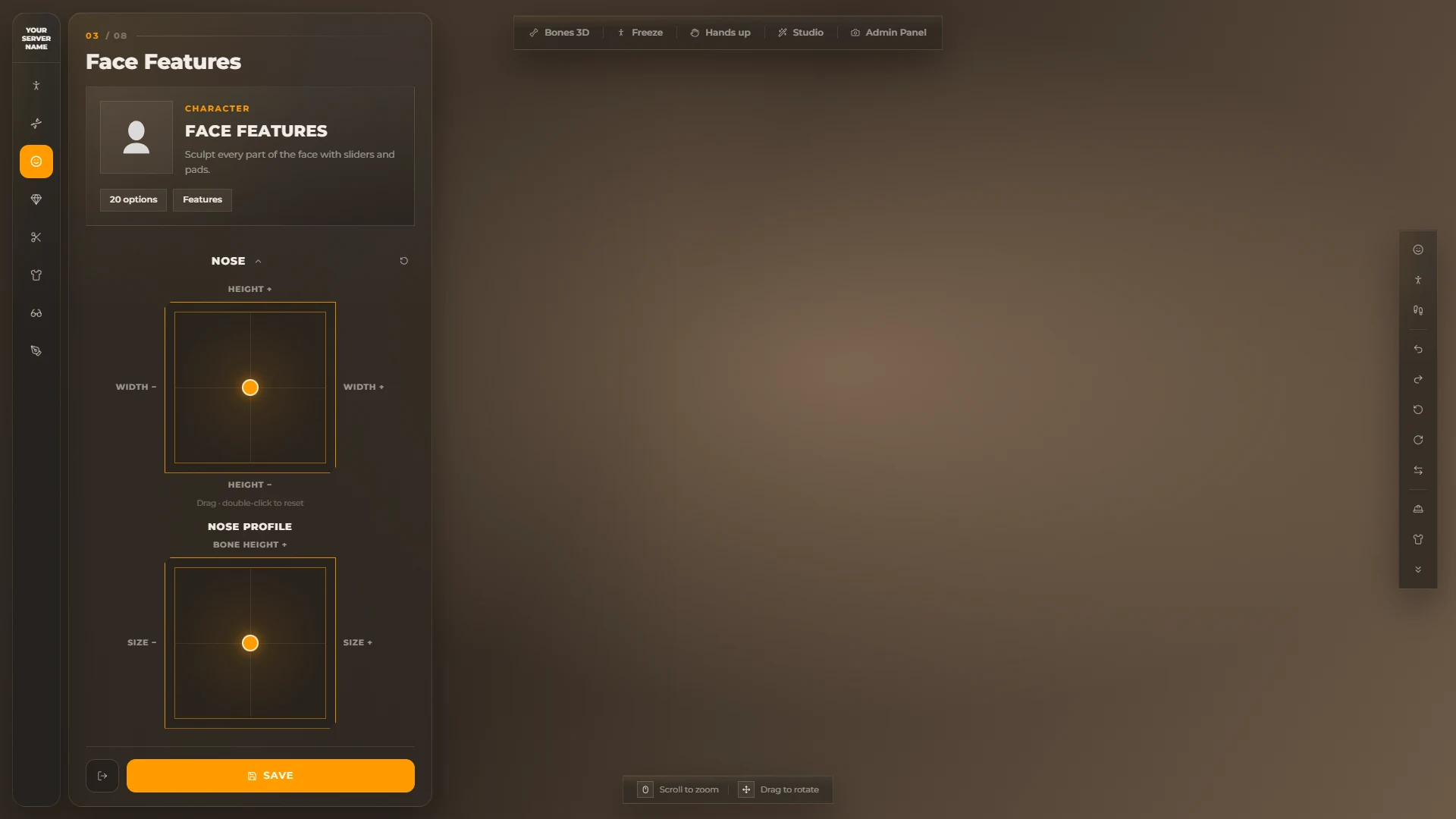
| Face features | Grouped sliders and drag pads (eyes, lips, nose profile...). Double-click a pad to reset it; Reset group resets the group |
| Appearance | Skin details, make-up, body and eye colour |
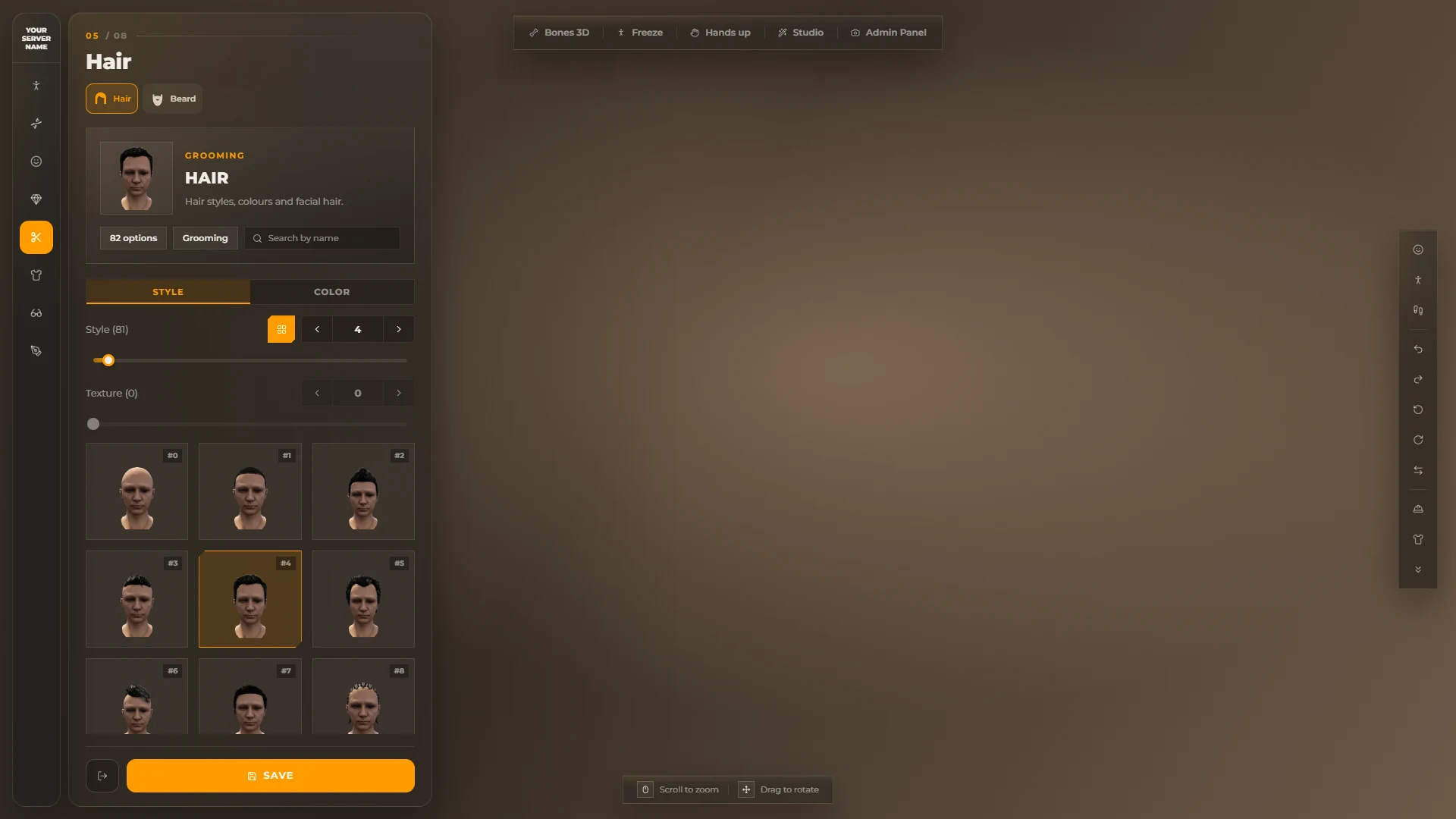
| Hair | Hair styles, colours and highlights, facial hair |
| Clothes | Masks, jackets, undershirts, arms, pants, shoes, vests, bags, chains & scarfs, decals |
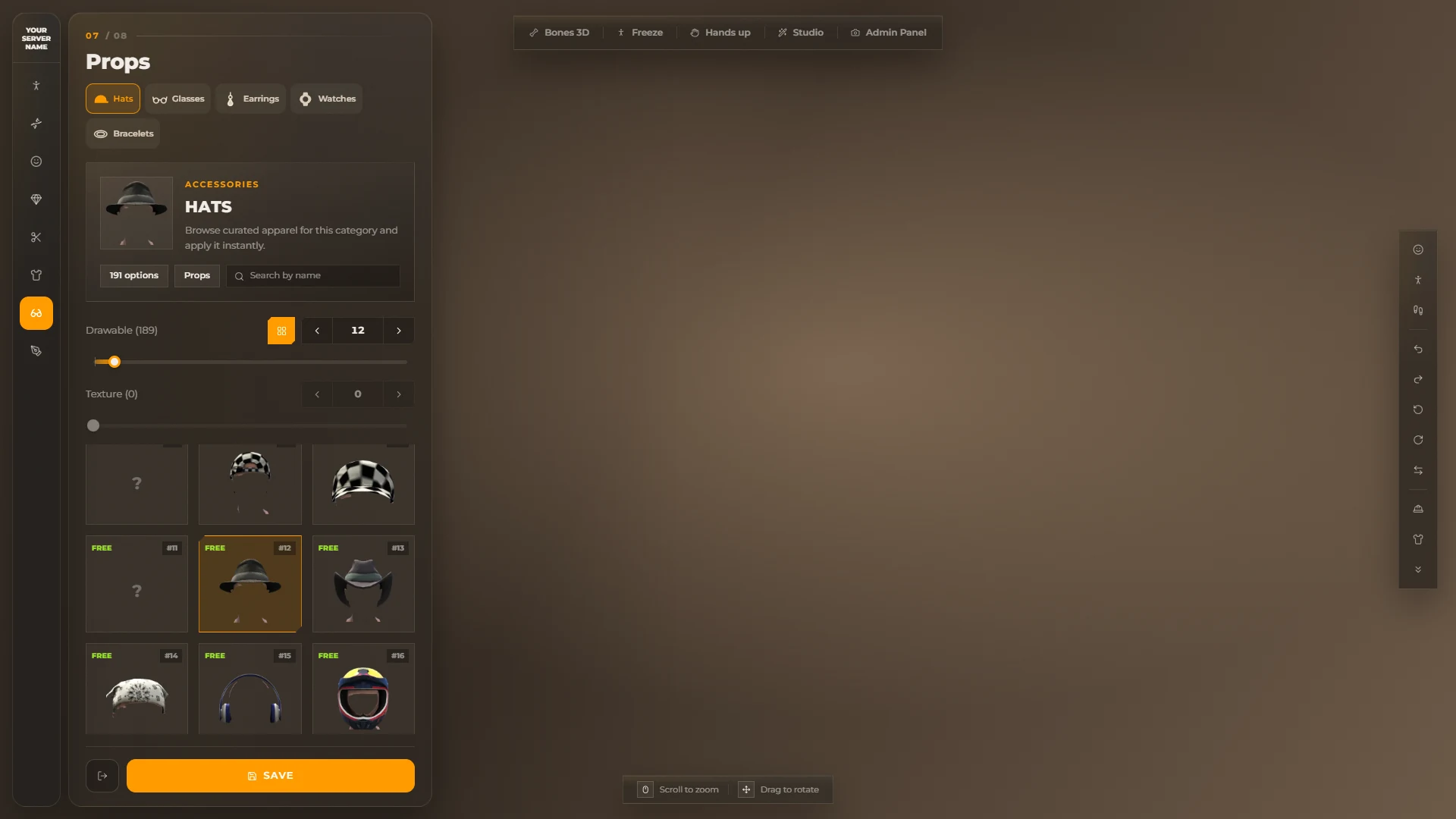
| Props | Hats, glasses, earrings, watches, bracelets |
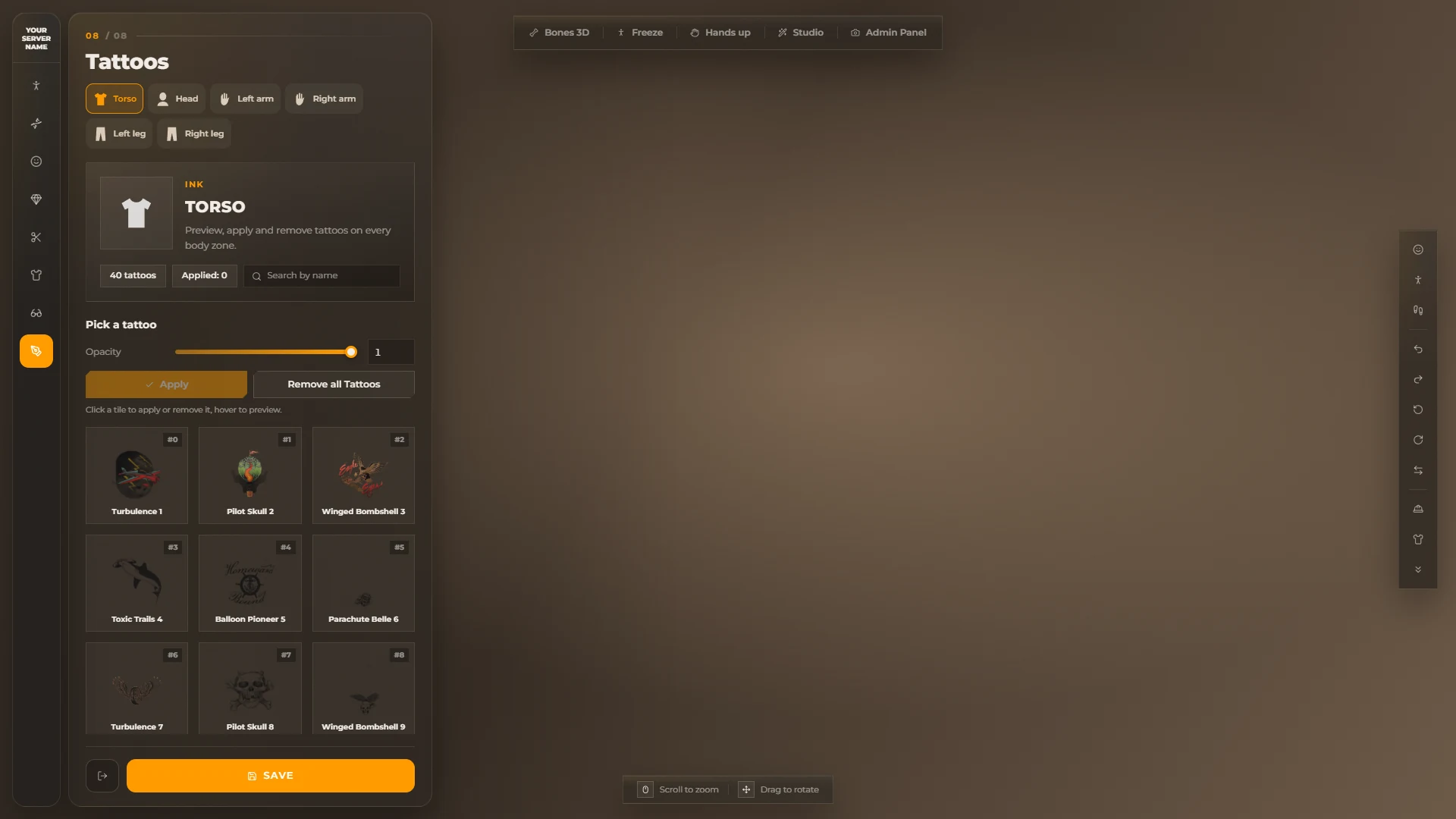
| Tattoos | A tile grid per body zone. Click a tile to apply or remove the tattoo, hover to preview it |
Sections are hidden the same way as upstream (Config.DisableComponents, Config.DisableProps, the shop type and blacklists).
Item grid
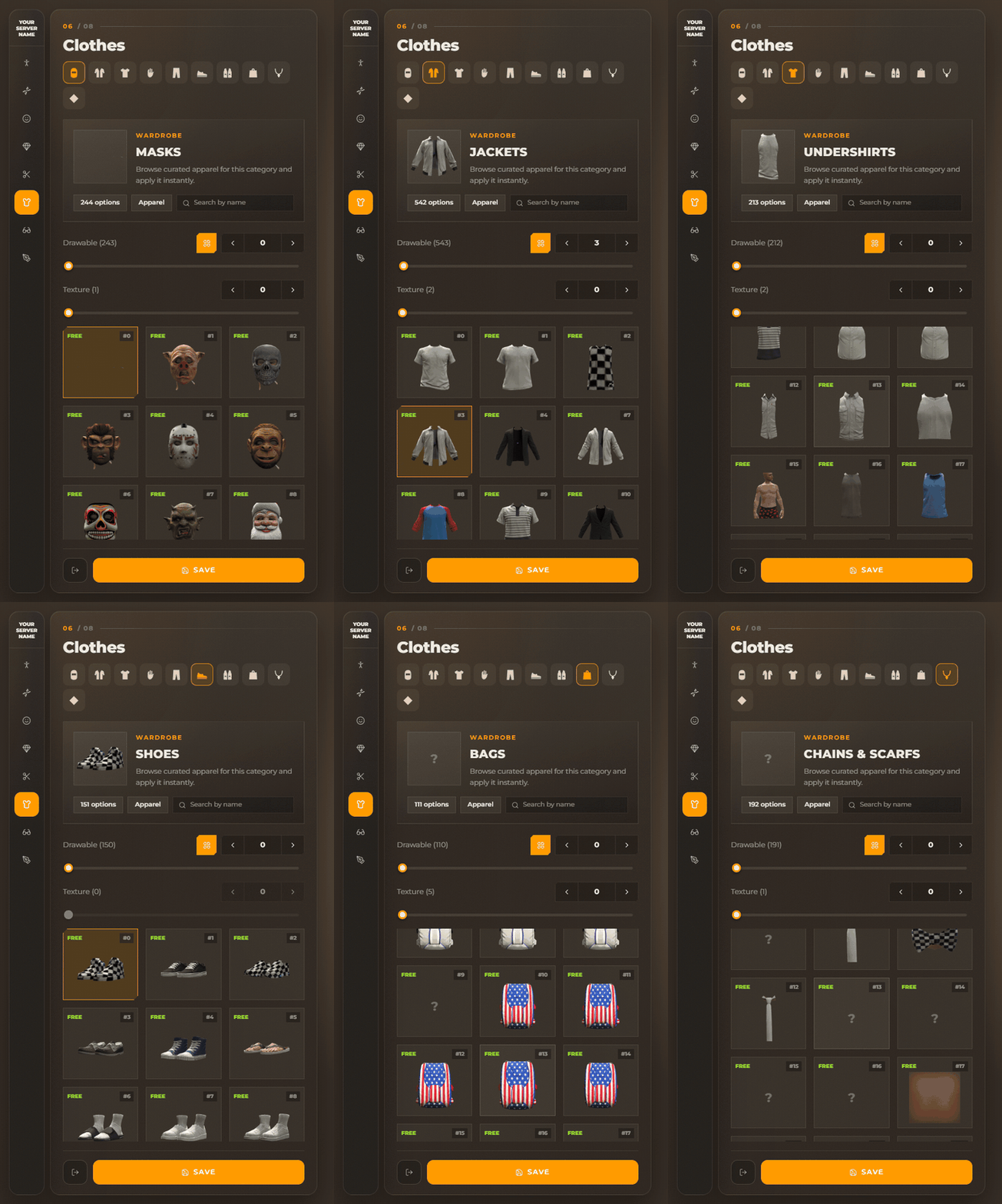
Each category shows a header card with drawable / texture steppers and a 3-column grid of tiles.
A tile shows the captured image, the item #id, its name and a FREE or price badge.
Tiles without an image show ? — capture them in the Capture panel.
A search box filters items by name.
The vertical category strip on the right jumps to a category and moves the camera to it (head, body or legs).
Camera
- Scroll to zoom, drag to rotate. Limits come from
Config.Koja.CameraLimits. - Camera buttons: head, body, legs, orbit left / right, turn around, rotate the ped.
Toolbar
| Button | What it does |
|---|---|
| Bones 3D | Clickable 3D markers on the body. Clicking one opens its category |
| Freeze | Freezes the ped in place |
| Hands up | Hands up pose, to check sleeves and gloves |
| Studio | Opens the Studio panel |
| Admin Panel | Opens the Capture panel. Admins only |
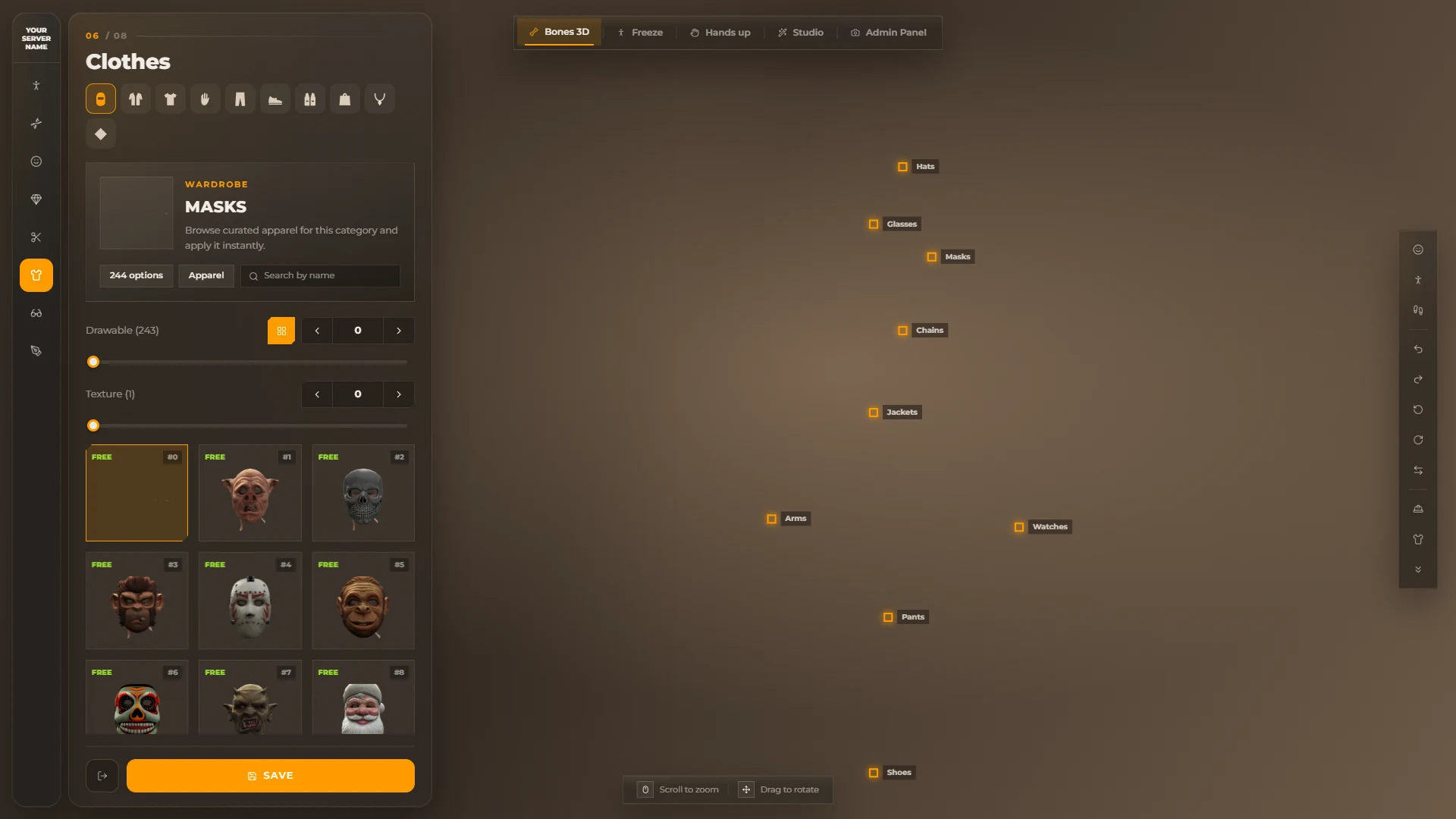
Quit leaves without saving, Save keeps the changes. If the menu closed before the player saved, the next time it opens it offers to put the picked clothes back on.
Studio
The Studio panel is saved per player on their own PC.
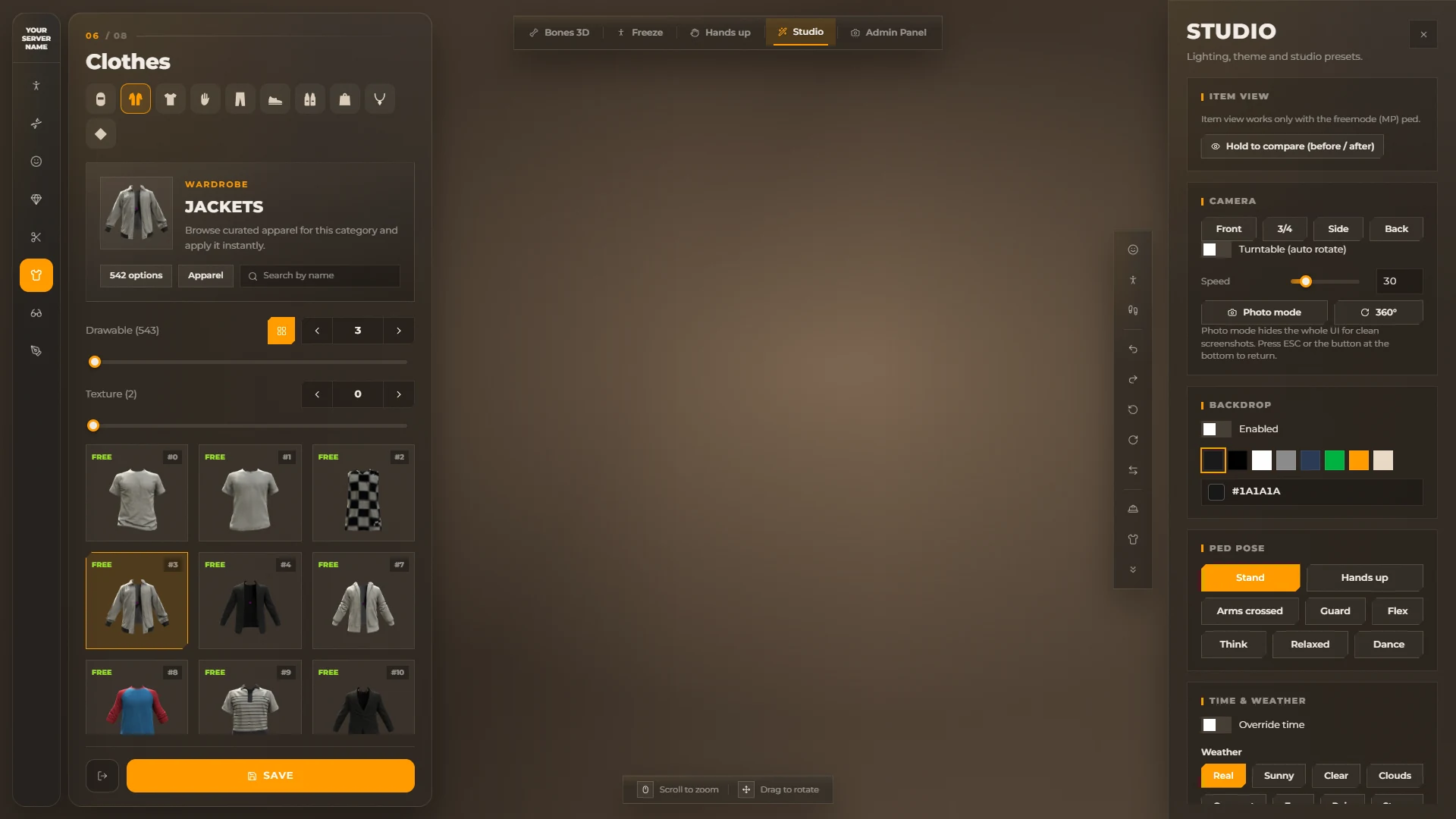
| Part | What it does |
|---|---|
| Corner style | Rounded or sharp corners for the whole UI |
| Colors | Main colour (accent) and secondary colour (panel background). Reset colors goes back to Config.Koja.Theme |
| Studios | Teleports to a location from Config.Koja.Studio.Locations, or back to Your old coords. With PrivateBucket the player is alone there |
| Ped pose | Stand, Hands up, Arms crossed, Guard, Flex, Think, Relaxed, Dance |
| Light | Studio light: on / off, power, position (X / Y / Z around the ped) and colour |
| Item view | Shows only the selected piece. 2D hides the ped and shows the captured image. 3D keeps only that piece on the ped and zooms on it. The outfit is not changed |
| Compare | Hold to see the look before and after your changes |
| Camera | Front, 3/4, side and back angles. Turntable rotates the ped automatically at the chosen speed |
| Backdrop | A coloured box around the ped |
| Time & weather | Overrides the hour and the weather for the player only. Real goes back to the server weather |
| Photo mode | Hides the whole UI for clean screenshots. ESC or the button at the bottom returns |
Item view needs the freemode (MP) ped. Compare is not available after changing the ped model.
Shopkeepers
Clothing, barber, tattoo and plastic surgeon shops have a clerk ped (shared/koja_shops.lua).
- With ox_target or qb-target running, the player targets the clerk. Otherwise a floor marker and a key prompt appear in front of the counter.
- Talking to the clerk plays a short greeting with an over-the-shoulder camera, then opens the shop.
- Each shop has a blip named after the shop type and the area, for example "Clothing Store · Strawberry".
- Clerks spawn only for players close by (
SpawnDistance).

Admins place clerks with /shopped — see Configuration.
Shop basket
In clothing shops with Config.Koja.Shop.Basket = true, every paid item the player changes appears in the basket with its price.
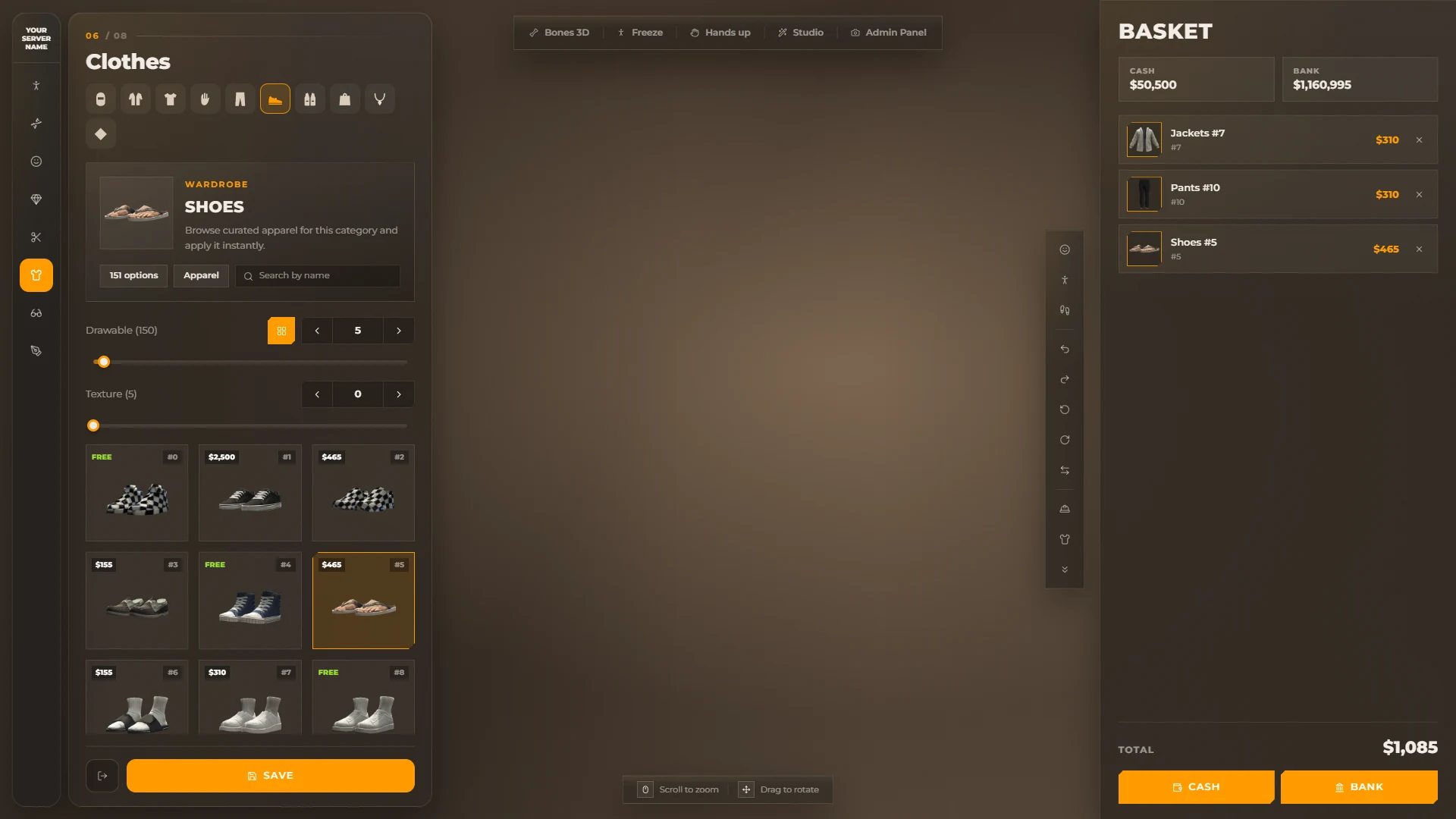
- Removing an item from the basket puts the old piece back on.
- The player sees their cash and bank balance, and pays with any method from
PaymentMethods. - The player pays only for what changed between the clothes worn when the shop opened and the clothes saved.
On ox_core, cash is the ox_inventory money item.
Wardrobe hub
With Config.Koja.Hub.Enabled = true, clothing shops, /pedmenu, clothing rooms, player outfit rooms and boss / gang outfit management open the wardrobe hub instead of ox_lib menus.
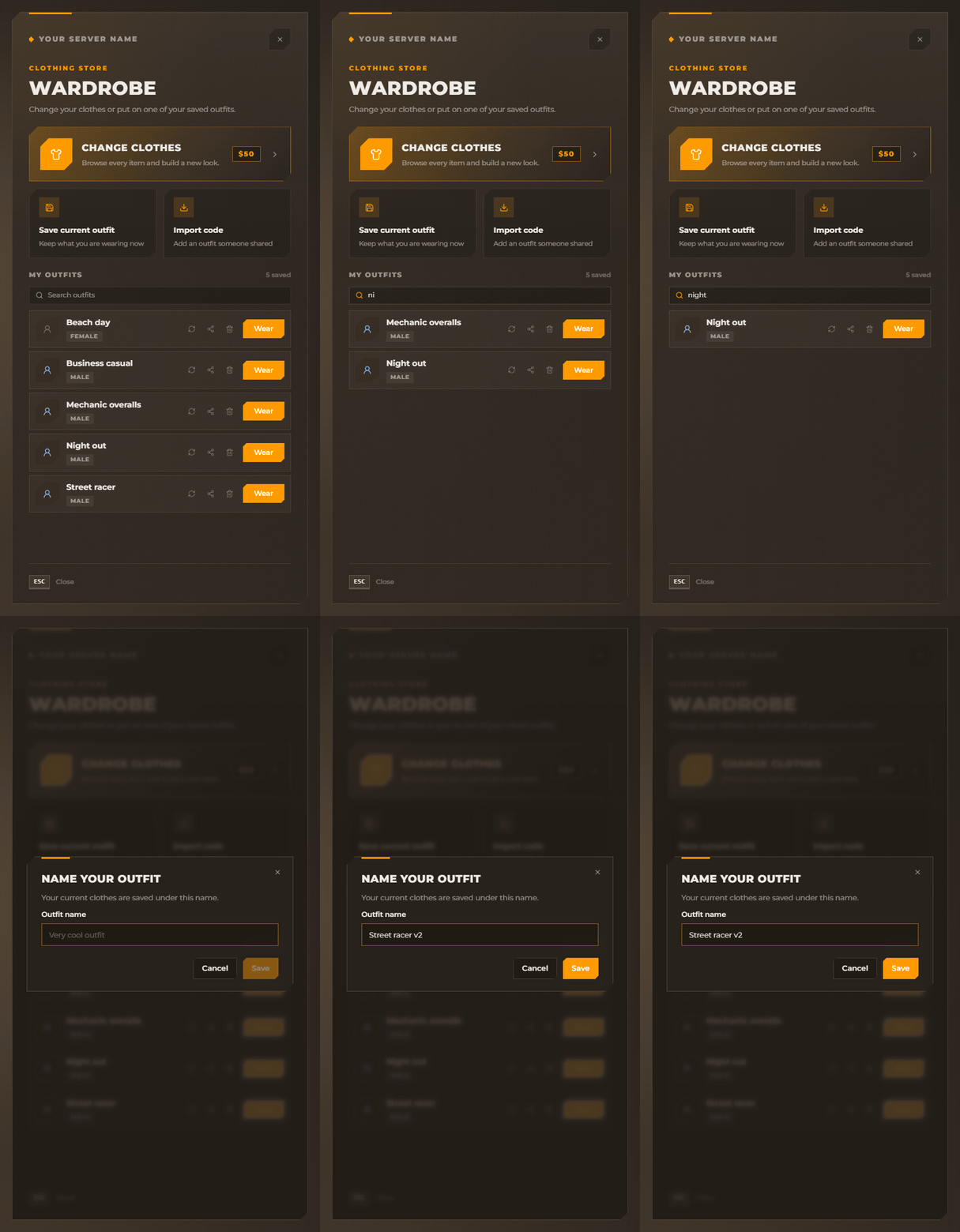
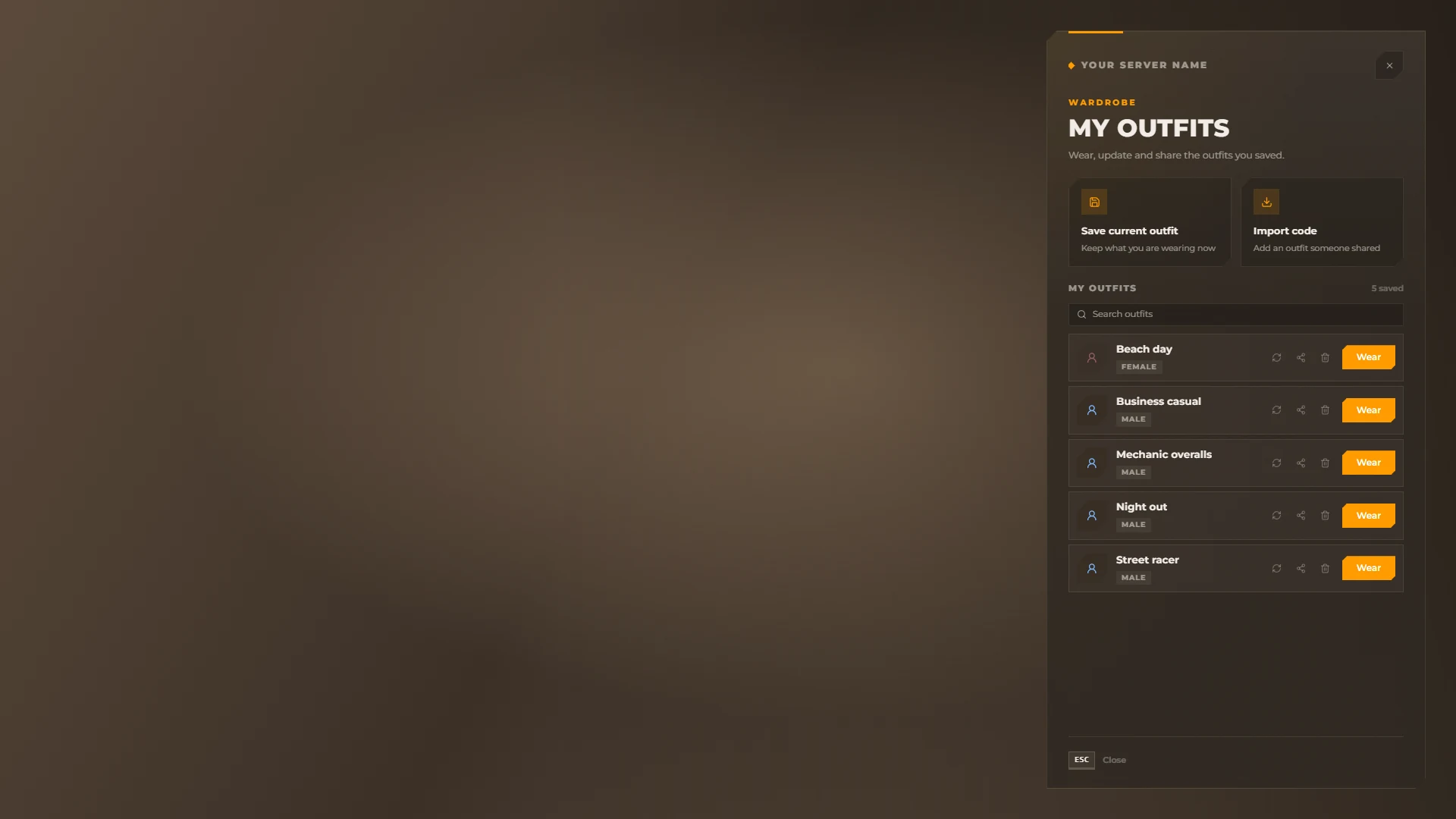
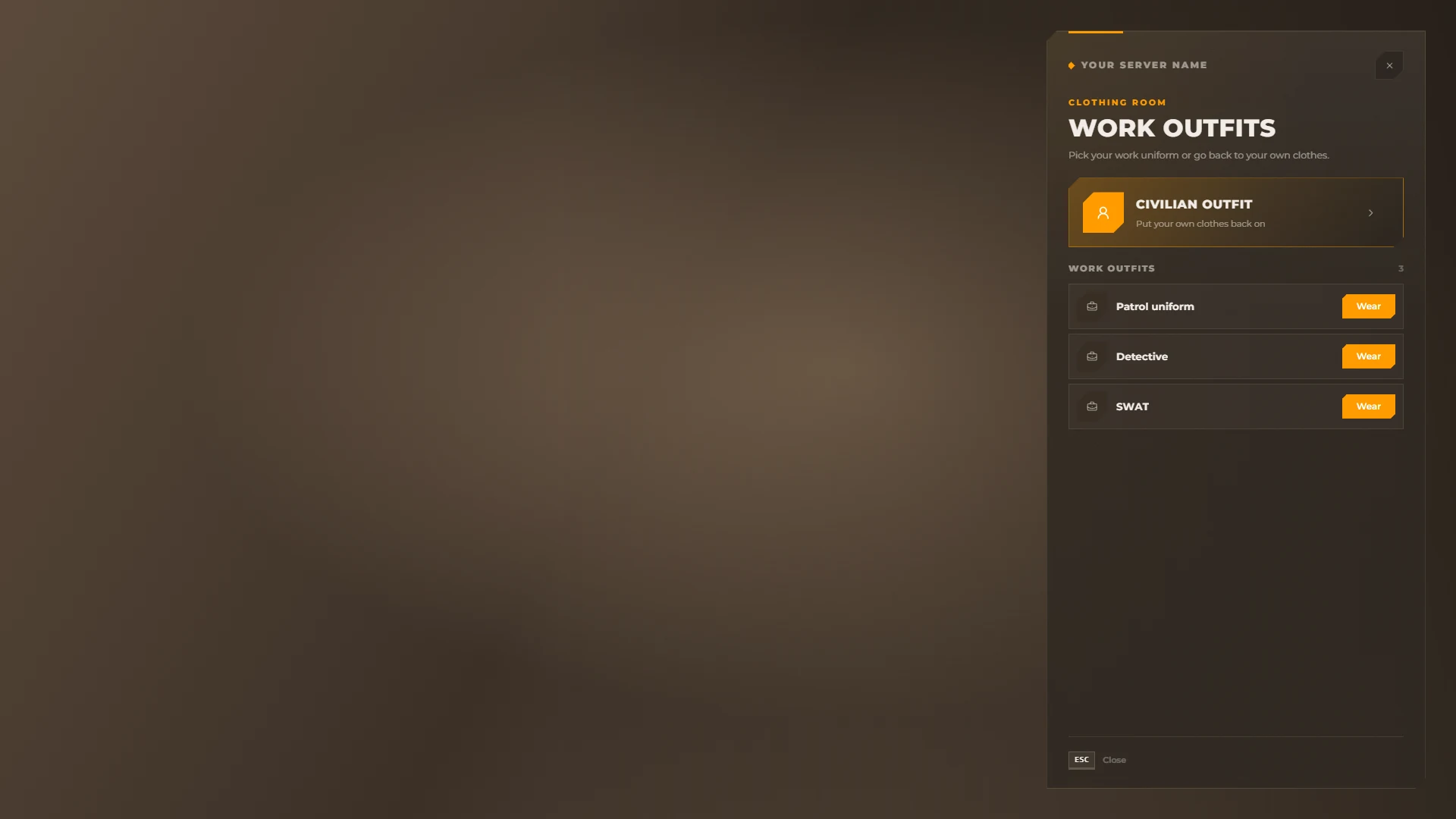
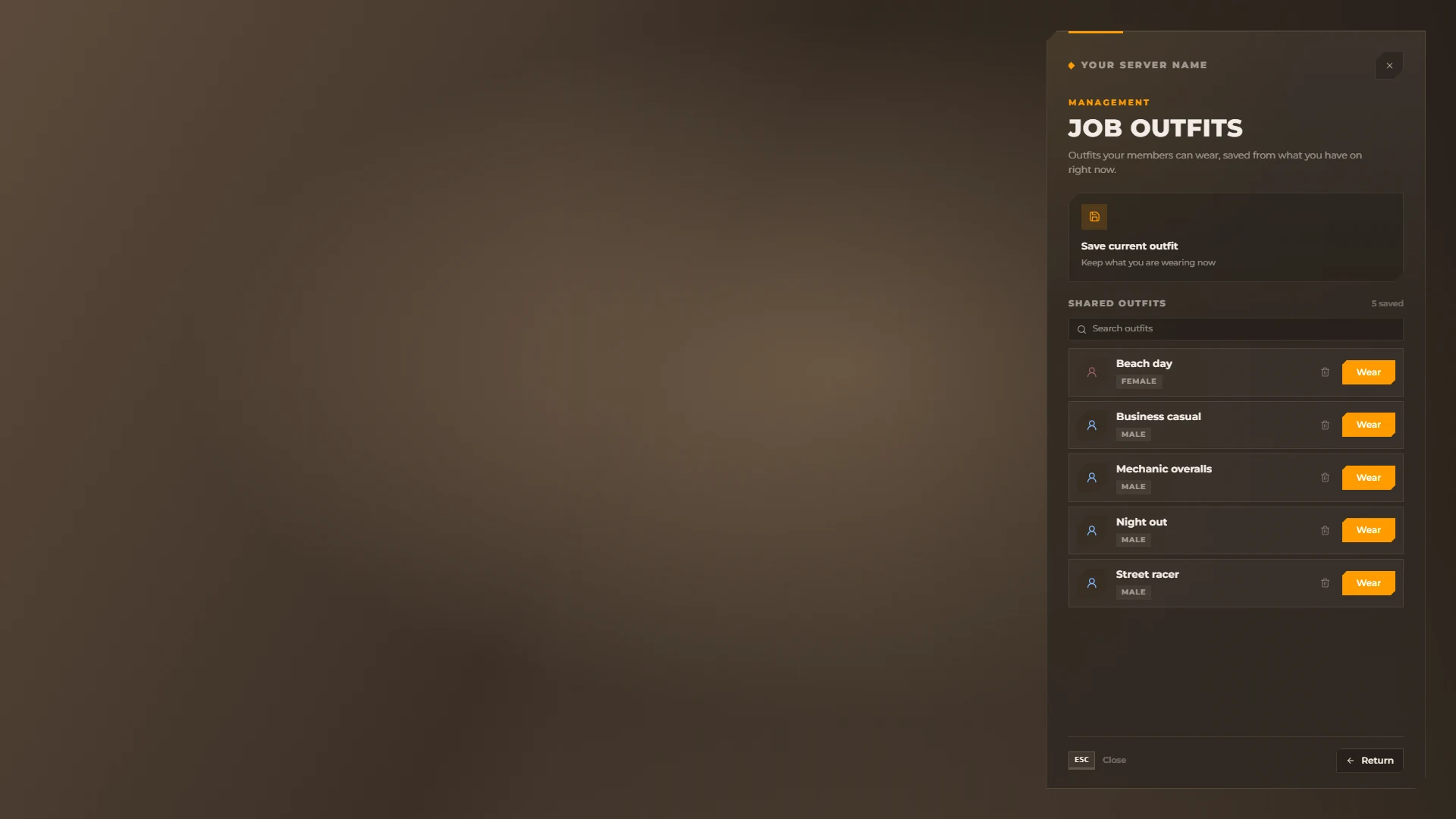
| Tile / action | What it does |
|---|---|
| Change clothes | Opens the editor. Shows the price, FREE or "Pay per item" in basket shops |
| Save current outfit | Saves what the player is wearing |
| Import code | Adds an outfit someone shared |
| Outfit list | Searchable. Wear, Update with current, Share code (copied to the clipboard) and Delete (with confirmation) |
| Clothing rooms | "Civilian outfit" and the work outfits of the job |
| Boss managed outfits | Save (name, gender, minimum rank), wear, delete and Return to the boss / gang menu |
ESC closes it. All upstream outfit events still work; the dialog events open the hub with the matching dialog.
Clothing as items
Set Config.Koja.ClothingItems.Enabled = true to give every paid piece bought in the basket as one ox_inventory item.
Add the item to ox_inventory/data/items.lua (use your folder name in the export):
['clothing'] = {
    label = 'Clothing',
    weight = 200,
    stack = false,
    close = true,
    client = { export = 'illenium-appearance.useClothing' },
},
The item carries this metadata: label, imageurl, gender, category, kind, id, drawable, texture, description.
Using it wears the piece and saves the appearance; the item is not consumed.
The gender must match the player's freemode ped.
For other inventories, build the same metadata with the getClothingMeta server export — see Exports & Commands.
Mask clipping fix
Big face feature values push the face through masks.
While a mask is worn, the face shape is flattened to neutral; it comes back when the mask comes off.
This also works for masks put on by other resources, and the saved appearance always keeps the real face.
See Config.Koja.MaskFix.
Safety while customising
While the menu or the studio is open, the player cannot be hurt (no drowning or falling damage) and hunger, thirst and stress do not drop.
See Config.Koja.Safety.
ESX compatibility
On ESX the resource replaces esx_skin and skinchanger: it provides both and answers their events and exports (skinchanger:getSkin, skinchanger:loadSkin, skinchanger:loadClothes, esx_skin:openSaveableMenu...), so esx_multicharacter and other scripts that use them keep working.
When the resource restarts, FiveM also stops resources that depend on esx_skin. Koja Appearance starts esx_multicharacter again, so players do not hang on the loading screen.